![FromCounsel_ logo black on white - LinkedIn.png]](https://help.fromcounsel.com/hs-fs/hubfs/FromCounsel_%20logo%20black%20on%20white%20-%20LinkedIn.png?height=40&name=FromCounsel_%20logo%20black%20on%20white%20-%20LinkedIn.png)
You can share a course on the overview page which opens when you initially click into the course. Underneath the title of the course, there is a box that says ‘SHARE’. Clicking this will produce a pop up with a link that you can copy and paste.
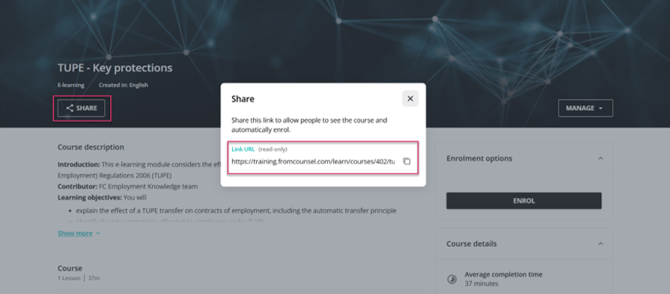
Note that only people subscribed to FC Learning will be able to access the course. Upon clicking the link, they will automatically be enrolled into the course. This way of sharing a course is best intended for short term sharing, as if you user profile is deleted (for example, if you left the firm) the link will no longer work.